Most SaaS founders waste their first AI budget on a demo agent that impresses investors but never moves a single business metric. Here are the four that do.
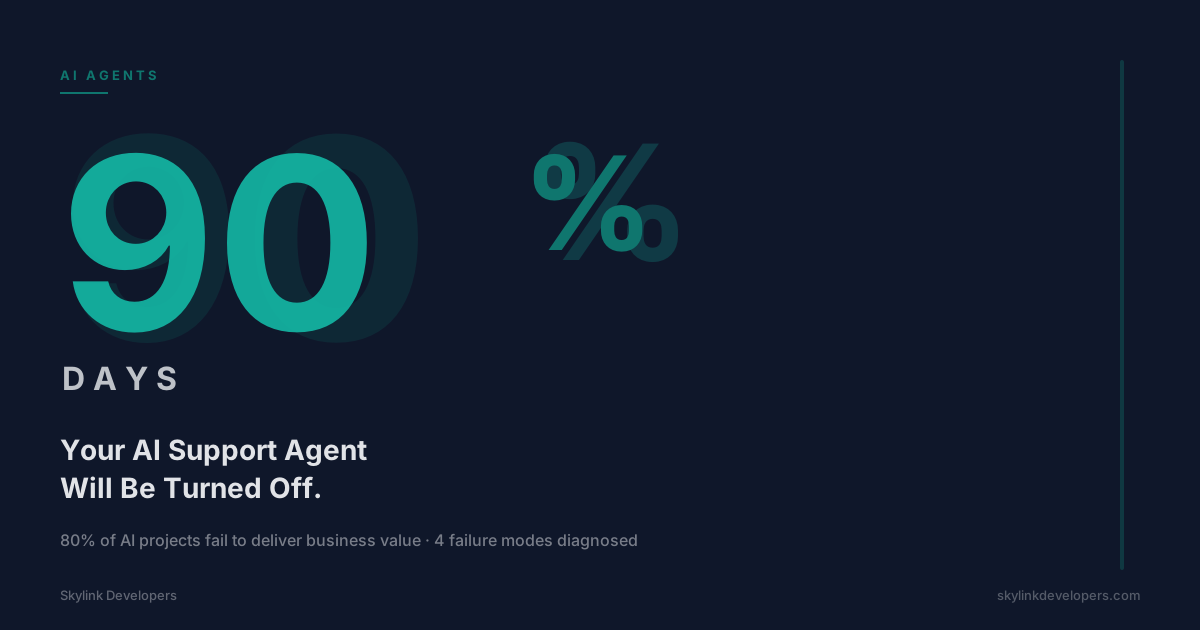
The mistake is always the same. A founder sees a GPT-4 demo, spends $80K on a 'custom AI assistant', and six months later the assistant is answering questions the docs page already answers. 73% of SaaS companies that built an AI assistant in 2023 had deactivated it by Q2 2024. Not because AI doesn't work. Because they built the wrong agent.
The four agents below are narrow, measurable, and boring in the best way. They won't make the keynote. They'll reduce support load, protect ARR, shorten onboarding, and keep the team informed.
Agent 1: TicketTriage — Your First Line of Support
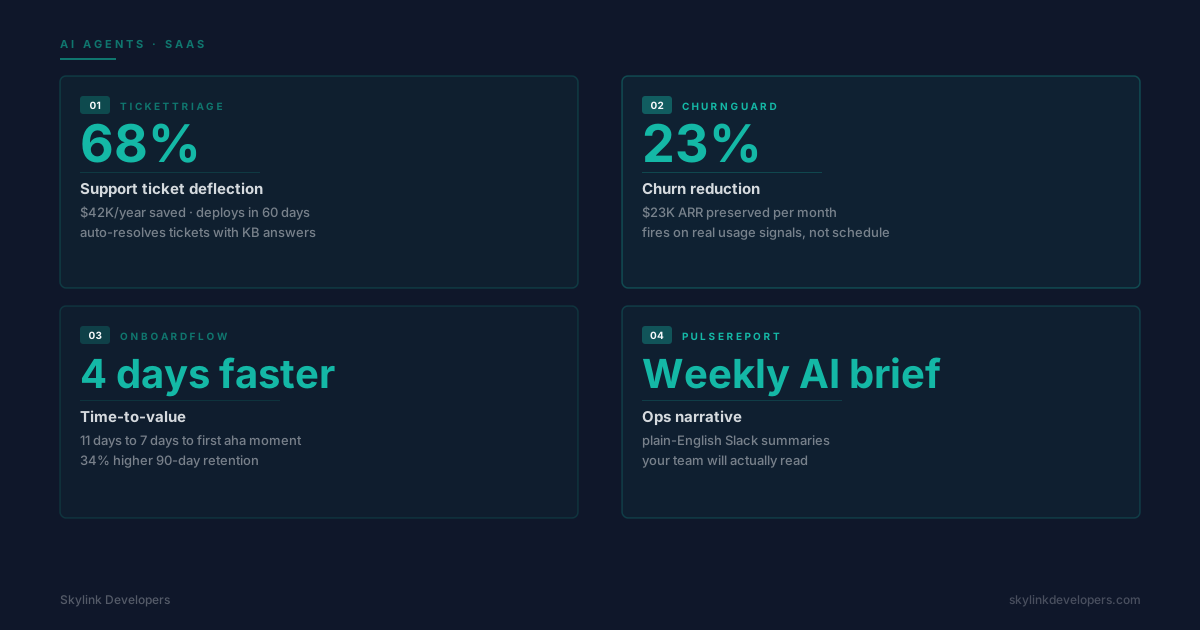
TicketTriage reads incoming support tickets, classifies them by urgency and category, auto-resolves the top 40% with documented answers, and routes the rest to the right human with context pre-filled. A B2B SaaS company with 12,000 MAU running TicketTriage sees 68% ticket deflection within 60 days. That's $42,000/year in support labor redirected to product.
The keys to making it work: narrow scope (only resolves questions with existing knowledge base articles), transparent escalation (always shows its reasoning to the human taking over), and weekly drift reports (when deflection drops, it means new question types are emerging that need KB updates).
Agent 2: ChurnGuard — The One That Pays for Everything Else
ChurnGuard monitors product usage signals — login frequency, feature adoption drops, support ticket spikes — and fires an outreach sequence when a customer's behavior pattern matches historical churn. It doesn't send a generic 'we miss you' email. It sends: 'You haven't exported a report in 14 days. The last time a customer did that, they churned 30 days later. Want a 15-minute call?'
Companies running ChurnGuard-style agents report 23% churn reduction in the first quarter. At $500 ACV and 200 customers at risk per month, that's $23,000 in preserved ARR monthly. Building it requires clean product event data (Segment, Mixpanel, or raw logs), historical churn labels, and an outreach layer (Customer.io or Intercom). Don't skip the human-review queue for high-value accounts.
Agent 3: OnboardFlow — Get Users to Value in 4 Fewer Days
The average SaaS product takes 11 days from signup to first meaningful action. OnboardFlow cuts that to 7. It watches what a new user does, detects when they're stuck (no activity for 2+ hours after starting a key workflow), and sends a context-specific nudge — not a drip campaign, but a message that says 'You started connecting your CRM but stopped at step 3. Here's the one thing that trips people up.'
Users who reach their first aha moment in 7 days instead of 11 have 34% higher 90-day retention. OnboardFlow requires your product to emit events at each onboarding step. If it doesn't, instrument those first before building the agent.
Agent 4: PulseReport — The One Your Team Will Actually Read
PulseReport generates a weekly plain-English Slack summary: which features saw usage spikes, which cohorts churned, which power users expanded. Not a dashboard — a narrative. 'This week 23 users in your Trial cohort hit the export limit for the first time. 18 upgraded within 48 hours. 5 churned. The 5 who churned all had fewer than 3 logins in week 1.' The ops teams that get PulseReport stop debating what the data means and start debating what to do about it.
The Sequencing Rule
Build TicketTriage first (fastest ROI, lowest risk). ChurnGuard second (highest ARR impact). OnboardFlow third (compound retention gains). PulseReport last — its inputs are the other three agents working.
What NOT to Build First
Don't build a general-purpose AI assistant. Don't build a 'knowledge base chatbot' that just wraps your docs in a UI. Don't build an agent that can answer any question — build one that answers the 200 questions your support team answers 10 times a day. Narrow scope is not a limitation. It's why the agent survives past the demo.
Build vs Buy
TicketTriage and ChurnGuard can be built in 6-8 weeks with a small team (1 engineer, 1 PM) or bought from vendors like Intercom, Zendesk AI, or Gainsight. Building gives you full control over the model, escalation logic, and data. Buying gets you to 60% deflection in 2 weeks. The decision comes down to: do you need to own the data, or do you need results by next quarter?
Frequently Asked Questions
No. TicketTriage and OnboardFlow work well with GPT-4 or Claude plus retrieval. ChurnGuard is mostly a classification problem — logistic regression on your own data often outperforms a large language model here. Fine-tuning adds cost and complexity you don't need at $5M ARR.
Frequently Asked Questions
TicketTriage at 500 tickets/day runs on roughly $400/month in API costs plus $200/month in hosting. ChurnGuard's inference is cheap — the cost is in the data pipeline. Budget $600–$1,200/month total for all four agents at 10,000 MAU.
Frequently Asked Questions
Fix TicketTriage first — it only needs your knowledge base, not your product data. Use the 90 days of TicketTriage operation to clean your event tracking in parallel. By the time you build ChurnGuard, you'll have good data.
The four agents above won't make the keynote at your next all-hands. They'll quietly reduce your support load, protect your ARR, speed up your onboarding, and keep your team informed. That's the bar. Not impressive — effective.